

Want to manage your business profile without getting lost between hours, photos and reviews? Between a forgotten closing day, an outdated photo and three reviews left unanswered, you quickly stop knowing where to start. Did you type "manage my business profile"? This article shows you the method step by step, in the right order, with what really takes time and what can be sorted out in a few minutes. In practice, managing your profile means updating information, taking care of visuals, replying to reviews, then waiting for Google to review certain changes.
The essentials
- An attribute change takes about ten minutes, or sometimes up to 30 days, to appear on your profile.
- Your profile only appears in search and on Maps after being added or claimed, then verified.
- GIFs are refused: publish static JPEG or PNG photos, or short videos.
- A Google business profile is free: complete it before paying for anything.
- Dropapost: 7-day trial, €0 today, then €19.99 to €79.99 per month, cancellable in 1 click.
 Dropapost
A Google profile that runs itself
Ava creates your posts in your brand's tone, with visuals in your colours, and nothing goes out without your approval.
- How do you change the hours, address and attributes?
- Photos and reviews: what to publish and how to reply
- Why do your changes wait for validation?
- Category and service areas to be found locally
- Someone else's profile, profile to delete: special cases
- Our view: a living profile is worth more than a perfect one
- Keeping your profile up to date without spending your evenings on it
- Frequently asked questions
How do you change the hours, address and attributes?
To manage your business profile, open your account, choose what you want to change (hours, address or attributes) and save, then let Google do the rest. Before editing the profile, check that you are indeed the owner of the listing. Attributes, such as the services offered, are edited separately from the other information. On timing, an attribute change usually applies within about ten minutes, but some changes can take up to 30 days. According to the official Google Business Profile FAQ, the delay depends on the type of change, not on your goodwill.
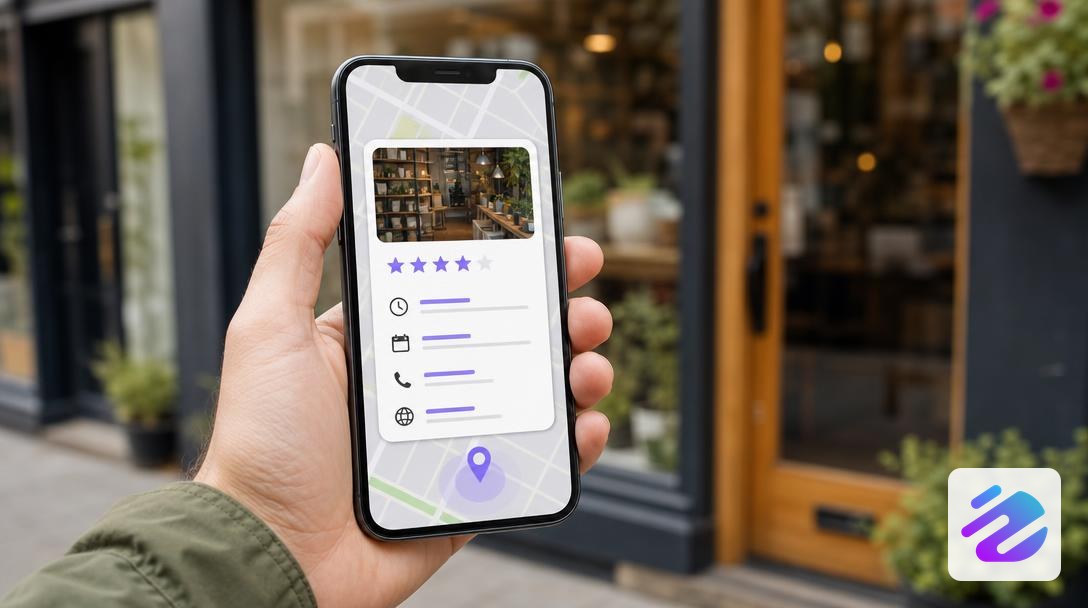
Take a bakery that switches to summer hours on 1 July. It updates its profile on 30 June so the gap doesn't show. As a result, its customers never find a closed shutter when the shop is open, or the reverse. Anticipating like this avoids many wasted trips.
Also check the establishment's address to the metre. A misplaced number sends your customers to the wrong place, and that costs visits. Keep the password to yourself and remove account access from people who no longer manage the profile. A poorly managed shared account quickly ends up with unknown changes.
Editing your profile in four steps
Photos and reviews: what to publish and how to reply
Publish real photos of your façade, your team and your products on your business profile, and reply to every review. Overly retouched visuals put customers off in person. A photo taken in natural light is enough.
Each reply to customer reviews appears under the review, in Google search and on Maps, with the label "Owner's response". Thank the reviewer, pick up a specific detail from the review and offer to resolve the issue offline. A customer who complains about a cold coffee will feel better heard by a reply that mentions the coffee than by a stock phrase.
If a provider manages your reviews, responsibility still rests with you: in France, the company publishing the reviews remains liable towards the consumer, according to Google's FAQ for businesses. So keep an administrator account in your name, even if someone else writes your replies. To go further, read our guide on AI for social networks.
Why do your changes wait for validation?
Your changes wait for validation because they are reviewed before being applied to your profile. It all starts with adding your business, or claiming it if it already exists, then validating the profile.
The second step concerns everything you change afterwards. Once validated, each time you want to edit the profile, whether the activity category, photos or hours, the change goes through a review before being applied. Keep three reflexes in mind:
- Plan for the delay, because a pending change delays the display of your new opening hours or your address.
- Group your changes into a single session rather than sending them one at a time.
- Check the result by searching for your business in Google search and on Maps: a validated profile may show the old hours for a while, so spot the gap before a customer does.
Category and service areas to be found locally
The main activity category influences the searches you appear for, so choose the most precise one, not the broadest. A "bakery" attracts those looking for bread, whereas an organic bakery attracts those looking specifically for that.
Attributes also matter for local search. A complete profile stands out from an empty one that says nothing to Google or to the customer. Your administrator account is precisely what lets you complete all of this.
If you travel to your customers and don't welcome anyone, list your service areas rather than a public address. A plumber who works at home has nothing to gain by displaying a premises nobody ever visits. A Google My Business profile without an address remains entirely possible in that case.
Your profile should tell the same story as your website: same hours, same name, same business address. A discrepancy muddies the signals sent to Google and makes the customer hesitate. Your local visibility therefore depends mostly on a complete business profile, not on your budget.
Someone else's profile, profile to delete: special cases
If the profile already exists without you, claim it before any change, and if false information appears on a profile that is not yours, suggest an edit. Claiming the profile gives you management rights, so it is the first step. On a profile that is not yours, you don't edit anything directly: you can suggest a change, which then goes through a review. Three situations come up often, and each calls for a different action. The table summarises what to do.
| Situation | Action to take | What it changes |
|---|---|---|
| Existing profile without you | Claim the profile before any change | You can manage it once the claim is made |
| False information on a profile that is not yours | Suggest an edit | You don't directly modify someone else's profile |
| Permanently closed business | Delete the profile | Your local visibility disappears |
Read the table starting from your own case, not the whole list. After claiming and validation, later changes go through a review before being applied. Before deleting the profile, make sure the closure is truly permanent: your local visibility does not come back with one click.
Our view: a living profile is worth more than a perfect one
For us, a business profile is not a form you fill in once and then forget. It is the showcase people look at just before visiting, ordering or calling you. Google Business Profile, the space where Google displays your profile in search and on Maps, lives to the rhythm of your hours, photos and reviews. So wrong information for three weeks costs more than a five-minute fix.
In practice, don't aim for perfection, aim for consistency. Choose a fixed slot each week, even a short one, and use it to edit the profile if a detail has changed. During that slot, check three things: the opening hours on public holidays, a recent photo of your façade or your flagship product, and customer reviews left unanswered. Stay factual and polite, even faced with a misunderstood review. Fake reviews can also be reported, but keep a record of anything that seems suspicious before acting. This week, open your profile and compare the address and hours displayed with those on your website.
— Mathieu
Keeping your profile up to date without spending your evenings on it
You can keep your profile up to date without spending your evenings on it, provided you delegate the repetitive part and keep control of the tone. Between changing hours, photos to replace and reviews to read, the profile quickly slips to the bottom of your list.
At Dropapost, Tom monitors your profile, drafts the reply to each review and spots fake reviews, from the Pro offer onwards. The AI suggests, you approve: nothing goes out without your agreement, so your brand voice stays yours. If you want the full method for your replies, read our guide to Google reviews.
Dropapost shows 4.3/5 on Trustpilot (22 public reviews) and verified Meta partner status, but responsibility for your reviews remains yours. Monitor the first 24 hours after a reply, then adjust the tone if needed. Start with your free trial, then decide knowing the result: managing your reviews can't wait.
Frequently asked questions
What is a Google business profile?
A Google business profile is the free page that presents your company in Google search and on Maps: address, hours, photos and reviews. It is also called a Google My Business listing or Google Business Profile, two names you will often come across.
How do I access my Google business profile?
You access it with the Google account that manages your business, by searching for your company in Google search or on Maps. If the profile doesn't appear yet, you must first add or claim it. So check the account you use: another Google account won't open the profile, and without access to the account, it is impossible to edit it.
How do I become an administrator of a Google business profile?
You become an administrator in two steps: you claim the business, then Google validates your request. Once the profile is in your name, you keep control over the information and replies to reviews. If you want to delegate this follow-up, Tom from Dropapost monitors the profile, but nothing goes out without your agreement. You keep the final say.
Also read
- Instagram hashtag: where to place it and how to search for it
- Hashtag generator: find the right tags for your post
- Instagram story template: formats and ideas to copy
Sources
Written by Mathieu, Dropapost
Written by
AJD Studio
Dropapost
Tags
Ready to automate your social media?
Join Dropapost and easily manage all your brands from a single platform.
Start for free