

You polish your caption, pick the right photo, add a pile of keywords at the end of the text, and yet your posts stay in the shadows? The Instagram hashtag helps people who don't follow you yet find your post. It goes in the caption or in a comment, and it should be chosen with method, not at random. This article shows you where to place it, how many to keep and how to spot the right hashtag for Instagram.
The essentials
- A hashtag is a word, phrase or emoji preceded by #, with no spaces or special characters.
- You can use up to 30 per post, in the caption or in the first comment.
- Public account: your post appears on the hashtag page. Private account: it doesn't appear there publicly.
- To search, type your keyword, tap the # icon and read the number of posts displayed.
- A hashtag whose posts are all several years old is no longer really current.
 Dropapost
Save time on your hashtags
Dropapost prepares your Instagram posts with hashtags, visuals and first comment, then nothing goes out without your approval.
- What is a hashtag on Instagram?
- Where to place your hashtags: caption, comment or bio?
- How many hashtags to use per post?
- How to find the right Instagram hashtags?
- Niche hashtag or brand hashtag: which to choose?
- Why do your hashtags bring nothing?
- Our view: few hashtags, well chosen, reviewed before publishing
- How to save time on your Instagram hashtags?
- Frequently asked questions
What is a hashtag on Instagram?
A hashtag is a word, phrase or emoji preceded by the # symbol, which lets you classify your content on Instagram. Concretely, you write #morningcoffee in your text and your post joins the list of all content filed under that same word.
There are still a few rules to know. A hashtag cannot contain spaces or special characters such as $ or %, so #morningcoffee works, while #morning coffee doesn't. Numbers, however, are allowed: #4seasons works fine. According to Instagram's official help, these constraints apply to all accounts.
One or two words are usually enough. A tag that is too long looks like a sentence and loses its classifying role, whereas a short word is easier to find. This is also the case for a brand hashtag, which uses your name as a single word and serves as your signature from one post to the next.
This classification also serves keyword search. When someone types a topic in the search bar, Instagram shows them the posts filed under the matching tag. In other words, choosing your word well makes you findable by people already looking for what you offer.
Where to place your hashtags: caption, comment or bio?
You can put them in your post's caption or in the first comment, and both allow your content to be classified. As confirmed by Instagram's Help Center, these two locations are designed for that. The choice depends mainly on how you publish.
This placement has a real advantage: it keeps your caption short and readable. A text bristling with # puts people off, whereas a few tags placed separately go unnoticed.
In the bio, a tag does not make your account appear on the hashtag page. In a post, it is indexed, so it is found by people searching that topic. Target your intended audience: it is they who will follow the tag, not the general public.
In stories, the hashtag sticker links your message to a specific topic. It complements your posts without replacing them.
How many hashtags to use per post?
Instagram accepts up to 30 hashtags per post, but that figure is a ceiling, not a goal to reach. You gain nothing by filling every slot. The useful number of hashtags is the one that truly fits your subject.
Using the maximum is pointless if some of them don't match the subject. An off-topic hashtag for Instagram dilutes your reach, so ten well-chosen tags beat a list of twenty-five approximate ones.
Take a jewelry maker posting a necklace. She keeps a few precise tags, the material, the style, the city, and leaves out generic words like #fashion, which drown the post in an enormous feed.
Vary your tag groups according to the subject of each post, then note which ones bring real exchanges, since those are what attract followers. To go further, read our guide on choosing them well.
How to find the right Instagram hashtags?
To search for a hashtag, type a keyword in Instagram's search bar, then tap the # icon to see the number of associated posts. Then you sort out what is really worth it.
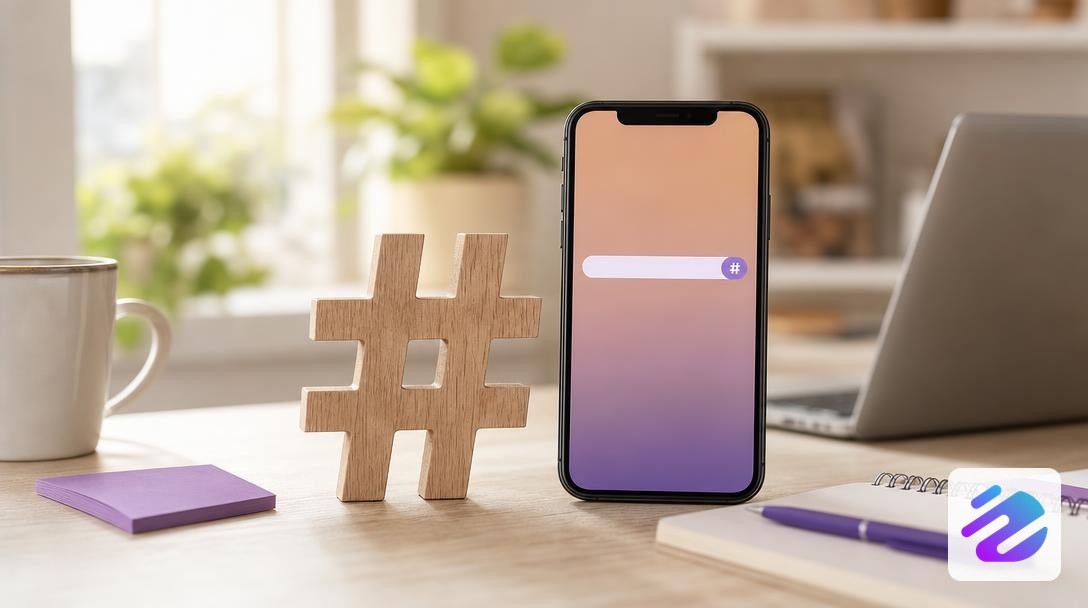
Here is the method in four steps:
- Type your keyword in the search bar, for example "artisan bakery".
- Tap the # icon: the app displays the tag and the volume of associated content.
- Open recent posts, check that the tag is still alive today, and discard those whose posts are all several years old, however large.
- Keep those where your audience posts, so you reach relevant followers.
So relevance outweighs the number: a huge hashtag for Instagram brings you nothing if your audience doesn't hang out there.
To go faster, try our hashtag generator for your posts.
Four steps to find your hashtags
Niche hashtag or brand hashtag: which to choose?
Don't choose: mix all three, with a fixed brand tag, a few niche tags and one or two popular tags when they fit the subject. A fixed brand hashtag keeps your voice consistent over time and gathers your community as well as your customers' posts. Popular hashtags reach a crowd, while niche tags target a more precise audience, with fewer posts but better chances of engagement.
Here is how the three types compare on the criteria that matter.
| Hashtag type | Volume | Competition | Relevance for your target |
|---|---|---|---|
| Popular | Very high | Strong, your post scrolls past fast | Broad, sometimes off-topic |
| Niche | Moderate | Lower | Precise |
| Brand | Depends on your community | Low, it belongs to you | Strong, it speaks about your brand |
To read this table, start from your target rather than from volume. If your audience is broad, a popular tag can boost your reach. If it is precise, a niche tag gets you seen by the right people. These tags find their place in a comment without weighing down the caption.
Why do your hashtags bring nothing?
Often your hashtags bring nothing because they are too big, outdated or always the same. A huge hashtag scrolls your post away in seconds, leaving no trace of reach. The opposite trap affects outdated tags: they look active, but nobody really follows them anymore.
The third trap is the copy-pasted block used on every post. You save two minutes, but your audience always sees the same words, and the algorithm reads a weak signal, with no engagement to show for it.
If your reach suddenly drops, don't panic right away. Review your recent tags and avoid spam tags, which have nothing to do with your content. This is often the cause of a shadowban, meaning reduced visibility without the platform telling you.
Our view: few hashtags, well chosen, reviewed before publishing
For us, the real question is not how many tags you add, but the relevance of each one. A hashtag that is too general buries your post in the crowd. A niche hashtag, tied to your trade, your city or your product, speaks to people already searching for that subject. In other words, a few fitting hashtags for Instagram beat a list copied and pasted from one post to the next.
What we think is most underrated is the review. A list reused without looking eventually stops meaning anything, and it can drift away from your brand voice. With us, the AI suggests the tags, but nothing goes out without your approval. You save the time of searching without losing control of what you publish.
Concretely, this week, go back over your latest posts and ask yourself a simple question for each tag: would someone really type this subject? If not, remove it. Keep first those that match your activity, and place them in the text rather than dumping them in a block at the end. The result: your post speaks to the right audience, and you know why.
— Mathieu
How to save time on your Instagram hashtags?
You can stop searching for each tag by hand, and that's where the time is saved. Dropapost writes your hashtags along with the text, the visual and the first comment, in your brand's tone.
You start from an idea or a photo, the AI proposes the full block, and you review it before anything goes out. For a Shopify, WooCommerce or PrestaShop store, each product becomes a post with its real photo and its tags.
On security, Dropapost publishes through official Meta access, as a verified Meta partner. Connect your accounts and prefer professional accounts for auto-publishing. Try 7 days free: €0 today, cancel in 1 click. To organize the rest, read our guide to scheduling your posts.
Frequently asked questions
Why use hashtags on Instagram?
Without a hashtag, your content mostly stays in front of your followers. With a well-chosen tag, it lands on a page others already browse, and that's where your visibility grows. So choose words related to your subject rather than a catch-all list.
Are there banned Instagram hashtags?
There is no list to memorize. Mainly remember the format rule seen above, then check that a tag still shows recent posts, since a frozen tag is not much use anymore.
How do I find the most popular hashtags on Instagram?
Go through search: type your keyword, tap the # icon, then compare the popular hashtags displayed with more precise tags. The Instagram hashtags that matter are those that stay active, not just those showing the biggest number. To avoid repeating this sorting for every post, Dropapost, an AI community manager, writes your tags along with the text, and you approve them before publishing. Try it for free.
Also read
- Hashtag generator: find the right tags for your post
- Hashtags on IG: 30 max, and how to choose them well
- Instagram story template: formats and ideas to copy
Sources
Written by Mathieu, Dropapost
Written by
AJD Studio
Dropapost
Tags
Ready to automate your social media?
Join Dropapost and easily manage all your brands from a single platform.
Start for free