

Your story idea is ready, but you spend an hour fiddling with fonts, margins, and alignments? An Instagram story template is a vertical visual already laid out, which you fill with your texts and photos without starting from scratch. You'll also see how a story differs from a post. Next, you'll learn how to choose one, customize it without losing your brand identity, and which ideas to copy starting this week.
The essentials
- A story disappears after 24 hours: keep the best ones in your highlights.
- Publishing an image of a person taken in a private place without their consent is punishable by one year in prison and a €45,000 fine.
- Dropapost costs €19.99 to €79.99 per month after a 7-day free trial: you pay nothing today.
- A customizable template keeps your colors and fonts: your stories are recognizable at a glance.
 Dropapost
Your stories published without your evenings
Ava, our AI community manager, creates your posts from an idea or a photo, and nothing goes out without your approval.
- What is the difference between a story and a post?
- Where can you find a free or customizable story template?
- How do you use a template without losing your brand identity?
- Which Instagram story ideas can you copy this week?
- What are the risks when a person appears in your story?
- Our view: the template speeds things up, but the voice stays yours
- How do you publish your stories without giving up your evenings?
- Frequently asked questions
What is the difference between a story and a post?
A story appears at the top of the app, above the feed, where your followers look first. A post stays on your profile and in the feed, and remains accessible long after publication.
So the two formats aren't really comparable. A story grabs attention immediately, but it passes quickly, while a post accumulates and can still be found a month later. Your Instagram story template should therefore be designed for a vertical screen, with texts in the center, away from the edges the interface may hide. A title stuck at the top or bottom risks being cut off by menus, and your message disappears.
In other words, the story format isn't just for decoration. The poll and the question sticker turn a story into an exchange with your audience, not just an image. Your follower answers in one click, and you instantly know what they think. Put simply, a post tells, a story triggers reactions. The two complement each other, provided you keep the same brand identity across formats so everyone recognizes you.
Where can you find a free or customizable story template?
A free template helps in a pinch, but it's used by everyone else too: as soon as you publish regularly, choose a customizable template. A story template found at random looks like everyone else's.
Here is how to compare the options.
| Option | Time required | Customization room | Best if |
|---|---|---|---|
| Free online template | A few minutes | Low, fixed layout | A one-off fix |
| Editable file | A few minutes per visual | Good: texts, photos, colors | Regular publishing |
| PSD file | More time, requires retouching software | Full | A designer by your side |
| Custom customizable template | Initial setup | High, matched to your palette | A consistent brand voice |
To read this table, start from your available time: with an hour a week, an editable file saves you real time on each post. If your brand voice matters as much as the price, check the customization room before the cost. If your visual shows a person, the CNIL details the procedure for removing an image posted online without consent.
How do you use a template without losing your brand identity?
A template serves as a frame, not a costume. To keep your identity, reuse the same palette, fonts, and logo in every story: your followers recognize you in a second.
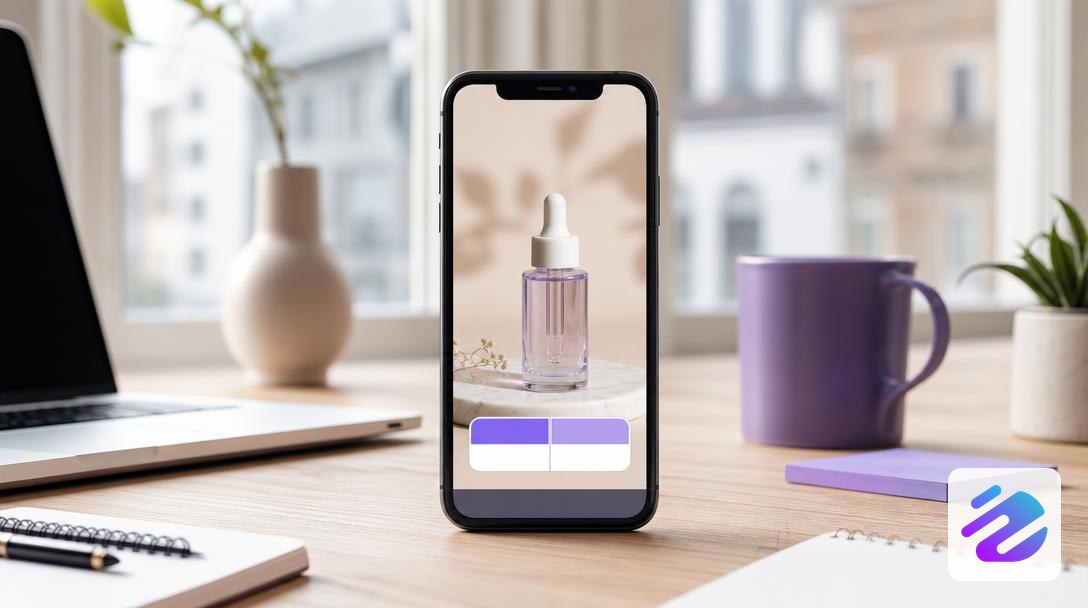
Then insert your real product photo into the frame. It's the photo that sells; the template only frames it.
To keep up the pace, work in batches. A shop publishing three product stories a week prepares the batch in a single session on Monday, then reuses the same template. It swaps the photo and text without starting from scratch.
Then reread every text in your Instagram stories before publishing. A typo or a phrasing that doesn't sound like you is easy to spot on screen. On rights, the Sciences Po guide on image rights lays out the basics, and the dimensions to respect are in our Instagram story format guide.
Which Instagram story ideas can you copy this week?
This week, copy five story formats: a poll, a lifestyle photo, a customer review, an announcement of your next content, and an important step pinned to highlights. Each takes a few minutes to prepare, from the same Instagram story template.
- The poll: ask your audience's opinion on a new product or visual, with two simple choices.
- The lifestyle photo: show your product in use, with a short benefit and a question at the end.
- The customer review as a screenshot: readable proof in a second, without long explanations.
- The announcement of your Reel or post: link to the full content with a simple tap.
- The important milestone, such as a shipped order: add it to highlights so it stays visible.
So prepare all five at once in an editable file, and change only the text and photo each week. Your batch comes together in one session. To schedule these stories on your calendar, read our guide to scheduling your Instagram posts. That way you avoid improvising them on Tuesday evening.
What are the risks when a person appears in your story?
A recognizable person in your story remains personal data, even though the story disappears quickly. According to the CNIL, as soon as a person is identified or identifiable in an image, that image is personal data.
Before publishing, ask the person concerned for consent. For a minor, it's their parents' consent that matters. The CNIL strongly advises against sharing photos of children on social networks, especially when the profile is public, and it details the risks of sharing photos of children on its site.
Next, be careful with locations. An image taken in a home, office, or workshop, published without the people's consent, can fall under criminal law, and it's not a risk worth taking for a story. If you hesitate, switch to a product visual or an illustration. Your message works just as well without faces.
To find story ideas without exposing anyone, think of product visuals. A free template can help you get started.
Our view: the template speeds things up, but the voice stays yours
A story template saves time, not identity. We see it as a layout base, to which you add your colors, your font, and your tone. The trap is publishing ten identical stories nobody recognizes. In other words, the template sets the rhythm, and the voice stays yours.
What really matters is human review. Keep that habit even when everything seems automated.
Your tip of the week: take a story that performed well and redo it with your template. Then compare it with your usual version, noting what changes in the responses. If the colors and font are your brand's, keep that template as a reference. You then get a template that's yours, not just a downloaded file.
— Mathieu
How do you publish your stories without giving up your evenings?
To publish your stories without giving up your evenings, the simplest approach is to prepare your content in batches and keep a fixed routine. Batching means preparing several pieces of content at once, during a calm session, rather than hacking together a story at 10 p.m. when you're already exhausted. A customizable template helps you keep brand consistency without starting from scratch each time. For choosing times, also read our guide on publishing at the right time.
For the rest of your calendar, Dropapost can take over. It's an AI community manager that prepares your posts, Reels, and short videos in your colors, from an idea or a photo, then fills your calendar and publishes at the best times. Nothing goes out without your approval: the AI suggests, you validate. A Shopify store testifies: "Thanks to Dropapost, I publish 3x more without giving up my evenings."
Dropapost is a verified Meta partner, with 4.3/5 on Trustpilot (22 public reviews). Start with the free trial.
Frequently asked questions
Should you create your own Instagram story templates?
Yes, an Instagram story template in your colors saves you time and avoids starting from scratch. Stories appear at the top of the app, above the feed, so a clean layout gets noticed quickly. Create your template once, then change only the text and photo. For your posts, Dropapost keeps your colors on the visuals, and you approve each one before publishing.
Why publish Instagram stories rather than classic posts?
A story is for reacting quickly: behind-the-scenes, a poll, or last-minute news takes two minutes to publish. The post, on the other hand, is read at leisure, so it carries substance better. In other words, the story sets your rhythm, and the post builds your brand. The most effective approach is to do both, linking the story to a fuller post.
Also read
- Instagram story format 2026: 1080 x 1920 px in 9:16
- Automatic social media publishing: the right settings
- I can't schedule on Facebook: the real reasons
Sources
- Risks of sharing children's photos · cnil.fr
- Procedure for removing an image · cnil.fr
- Sciences Po guide on image rights · sciencespo.libguides.com
Written by Mathieu, Dropapost
Written by
AJD Studio
Dropapost
Tags
Ready to automate your social media?
Join Dropapost and easily manage all your brands from a single platform.
Start for free